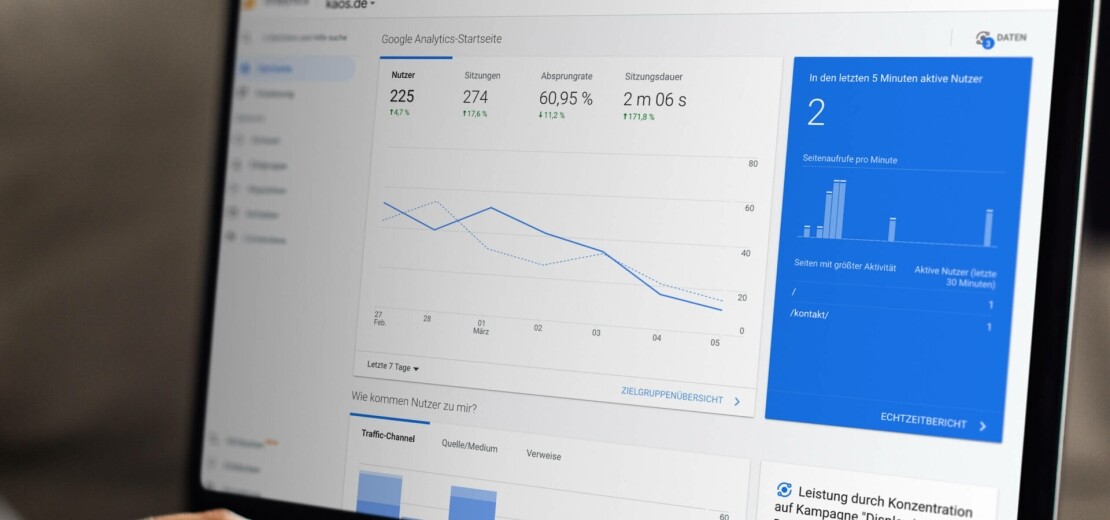
In October 2020, the new era of Google Analytics 4 was officially ushered in. This starting signal brings significant innovations and changes for users. There are new options for visualization, tracking, measuring page views and much more. If you set up your Google property after October 14, 2020, it is probably already a Google Analytics 4 property, so no further action is required.
Find out here what advantages the new features offer and how you can carry out the migration step by step.
Google Analytics 4 completely replaces Universal Analytics
On July 1, 2023, Universal Analytics will be discontinued for good. From this date, you can use the new Google Analytics 4 and benefit from its numerous advantages. However, from this point on it will no longer be possible to collect data in Universal Analytics, which is why a timely switch is essential. This gives you enough time to collect data in parallel with both versions and to familiarize yourself with Google Analytics 4.
In the future, the focus will increasingly be on data collection based on user engagement – one of the key changes in Google Analytics 4. The new functions and adjustments therefore require a rethink of previous workflows and reporting. While Universal Analytics based data collection primarily on conversion, behavior and acquisition, data collection in Google Analytics 4 focuses above all on user behavior and engagement.

Masses of new features with Google Analytics 4
Google Analytics 4 offers a range of advantages over the previous version, Universal Analytics. One of the main advantages is cookie-free tracking. This is particularly relevant because many browsers and platforms already block cookies by default or restrict their use. In addition, users can actively opt out of tracking and often decide against personalization through cookies. Thanks to artificial intelligence and other new technologies, Google Analytics 4 can nevertheless record user behavior precisely without relying on the analysis and evaluation of cookies.
Google Analytics 4 offers a range of advantages over the previous version, Universal Analytics. One of the biggest benefits is that tracking without cookies is possible. This is particularly important as many browsers and platforms already block cookies by default or restrict their use. Furthermore, users themselves can opt out of tracking and often choose to proceed without personalized cookies. With the help of artificial intelligence and other new technologies, Google Analytics 4 can still precisely record user behavior without relying on the analysis and evaluation of cookies.
In the future, it will be even more important to consider new functions and changes in the area of data analysis and collection. In particular, you should delve more deeply into user data and behavior. Previously, you were accustomed to collecting data based on user behavior, acquisition, and conversion. However, evaluating reports was time-consuming and often less detailed. With the introduction of Google Analytics 4, the workflow for data collection will significantly change and improve. Data collection will now be based almost exclusively on user engagement. This will provide you with deeper insights into how the website experience on your platform is perceived.
Step 1 – Creation
If you have used Universal Analytics so far and would now like to switch to Google Analytics 4, you can do so with the following steps. First, log in to your Google account. Open Google Analytics and select the „Admin“ item. On the left side, a dropdown menu will now be displayed in which you can select the account for which you would like to set up a new GA4 property. If the appropriate account is not available, you can create a new account. In the second column, you will see your existing Google Universal Analytics property. Select it and click on the menu item for the assistant. This will support you with the first steps. If this item is not currently displayed for you, you can simply create a new property in your account under „Create property“. After you have selected the assistant for Google Analytics 4, you will be guided through the setup process. In the next step, you must enter basic information such as the name of the property, the URL of your website and the time zone.

Step 2 – Setup

Next, you have the choice of whether you would like to activate data collection via the old Google Analytics code snippet. However, we advise against this and recommend creating a new property instead. The reason for this is that the data collection should not simply be carried over. If you would like to continue setting up GA4, you need access to your content management system, such as WordPress, TYPO3 or other providers. If you do not have access, you should first contact the creator of your website, who has the access credentials. We would also be happy to support you with this and help you insert the code correctly.
As soon as the setup of the new Google Analytics 4 property is complete and Universal Analytics is connected to Google Analytics 4, you will receive a corresponding notification. Then open Google Analytics 4 to access the setup assistant. Here you can configure your Google Analytics 4 property so that you achieve the best results. In this settings area, you should proceed in as much detail as possible. The more precisely you enter your data, the better the results will be. Do not forget to save your settings at the end.
Step 3 – Code Integration
Please note that you cannot import your data directly into GA4. Therefore, you should first redefine all audiences and settings in the conversion. Once you have made these, your Google Analytics 4 property is successfully set up. However, data collection only begins after you have integrated a tracking code on your website.
Integrating the code snippet on your website is essential in order to analyze user behavior on the entire site and its subpages in detail. Many website systems can already be linked to Google Analytics 4 without any problems. In some cases, however, it may be necessary to create a plug-in that facilitates the integration. Depending on the content management system you use for your website, this process may require technical expertise. We will be happy to assist you with this and take care of the integration for you.
Once you have successfully integrated GA4, you can capture your users‘ data in real time. You will immediately receive relevant reports and can evaluate the user data within a few minutes.

We provide optimal support for your transition
With KAOS as your expert for Google Services, you have a trustworthy partner by your side to guide you through this important transition. As an agency, we support you in making the switch to Google Analytics 4 as smooth as possible. A successful migration and the use of analysis tools are crucial for a solid data foundation, which serves as the basis for future decision-making.
The transition to Google Analytics 4 can be a challenge for companies. With professional advice and comprehensive support, we ensure that the transition to Google Analytics 4 proceeds smoothly, allowing you to fully leverage the benefits of the new property.
Do you have questions?

Eliana Gramer
Head of Web/Digital

Related articles

Influencer Marketing - Advertising Ambassadors
In this article, you will be informed about everything in the field of influencer marketing and learn how you can...
Domain registration: how it works
If you are thinking about creating your own website, there is one thing you cannot avoid: domain registration. Because without...

Dialogue and online marketing
With the imprint, as the operator of a website, you show your visitors who they are dealing with here. This...
